Staff
Owner, manager, packer and viewer. Each person logs in with a code sent by email. A viewer can look at orders and stock but cannot use the till.
A till for the counter, a stock count behind it, and a website when you want one, all from the same products.
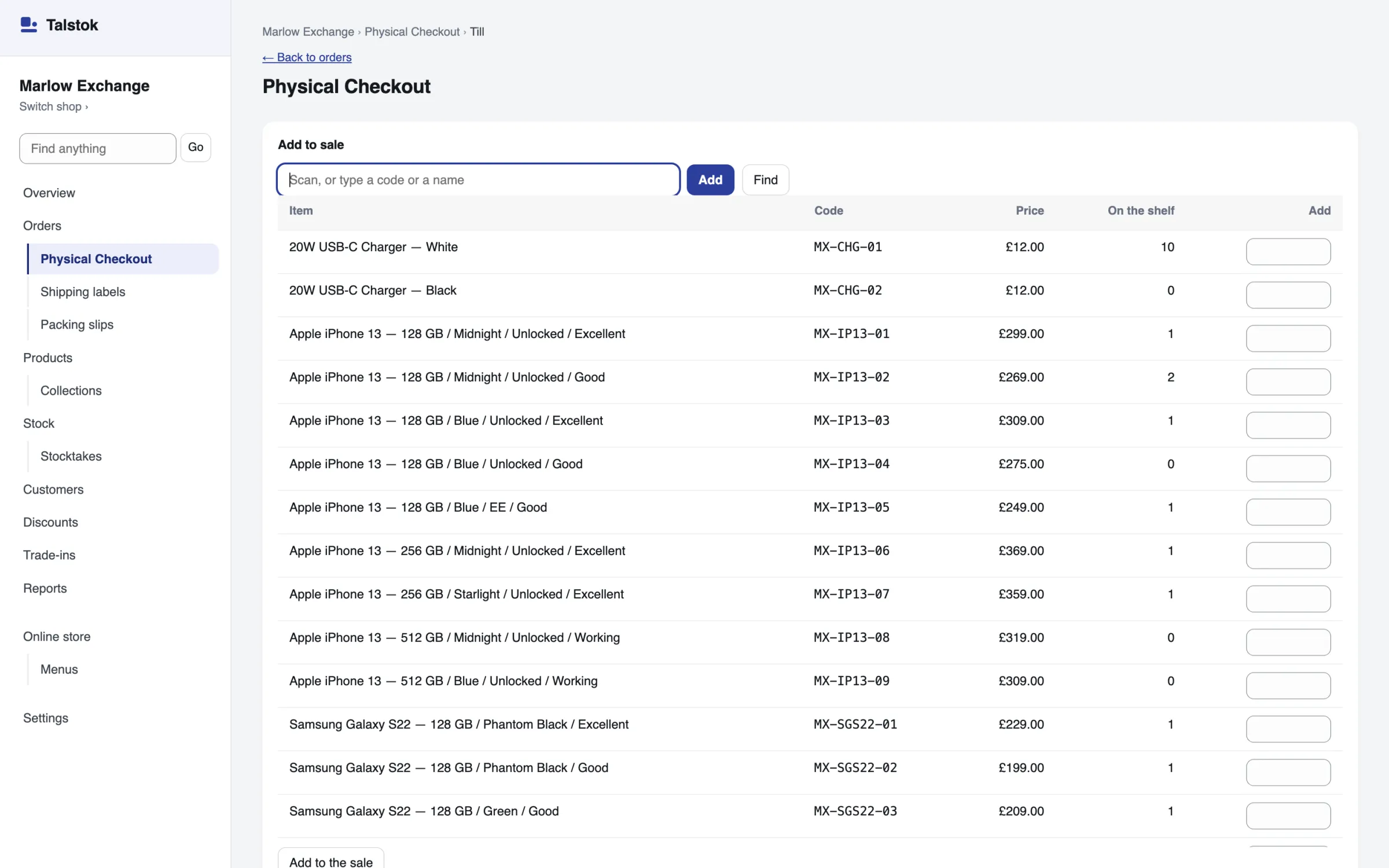
The parts a gift shop or a bookshop uses every day. Anything you leave off stays out of your menus.
Sell in a web browser on the computer or tablet at your counter. Take cash, or record a card-machine payment, a bank transfer or a cheque, and email the receipt.
See the till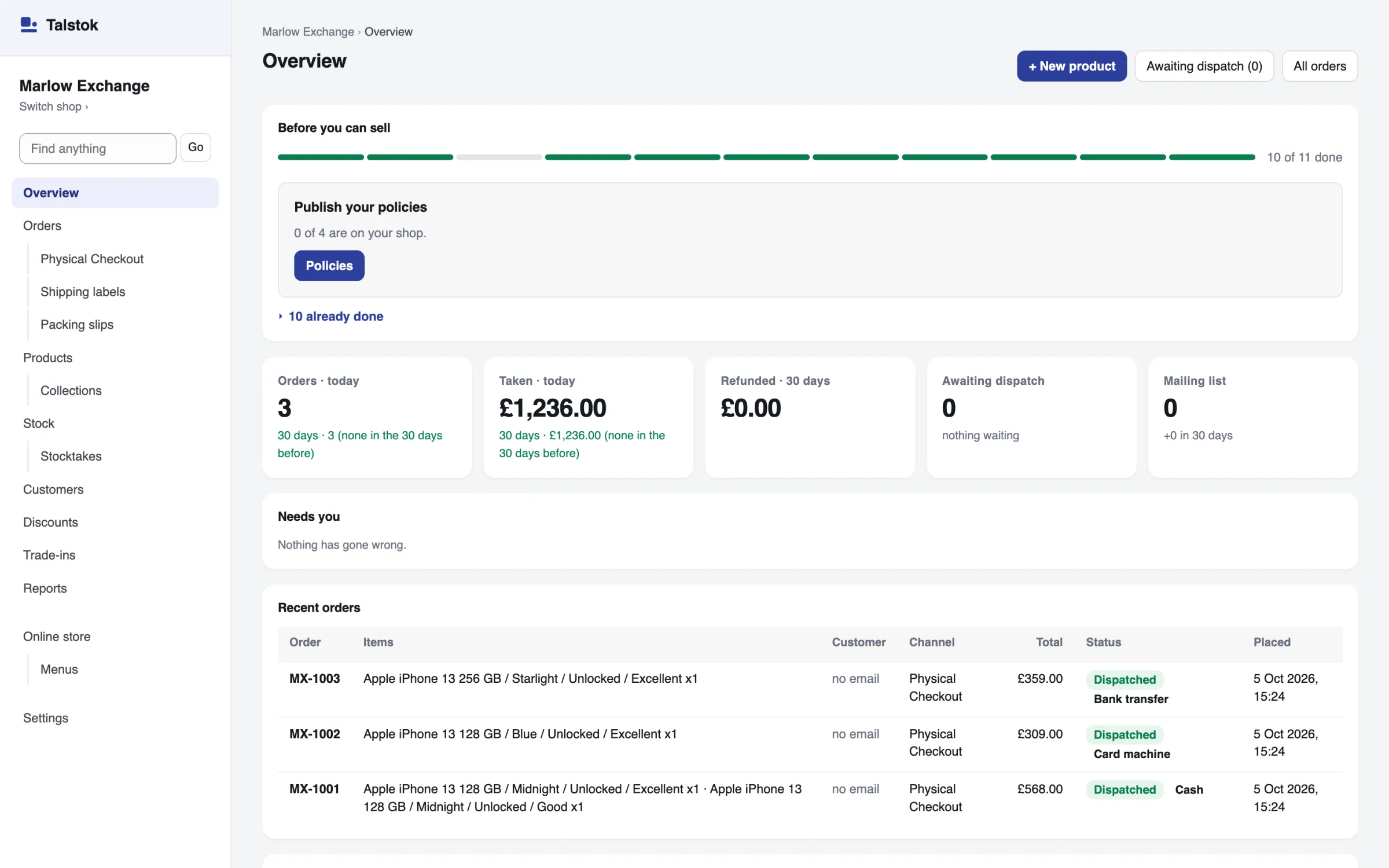
One count for each item, with stocktakes, low-stock levels, suppliers and purchase orders you receive against.
See stock control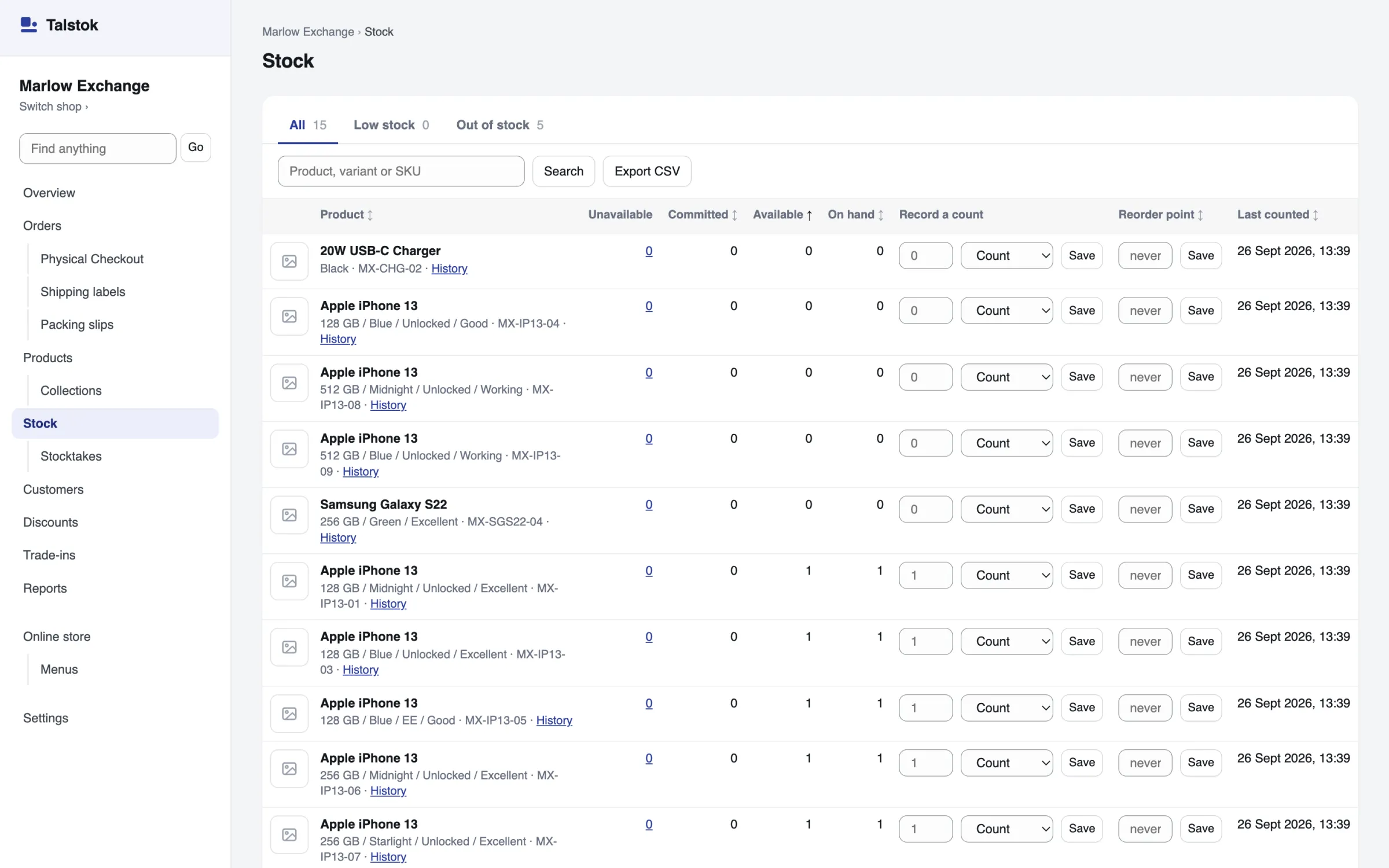
Switch on the online shop and it sells from the till’s own stock, with click and collect from your shop.
See the online shopOwner, manager, packer and viewer. Each person logs in with a code sent by email. A viewer can look at orders and stock but cannot use the till.
Takings, best sellers and discounts for any dates you choose. Best sellers download as a spreadsheet, and so do the orders for those dates.
A shop that takes only cash needs no payment account. Connect Stripe later, when you open the website.
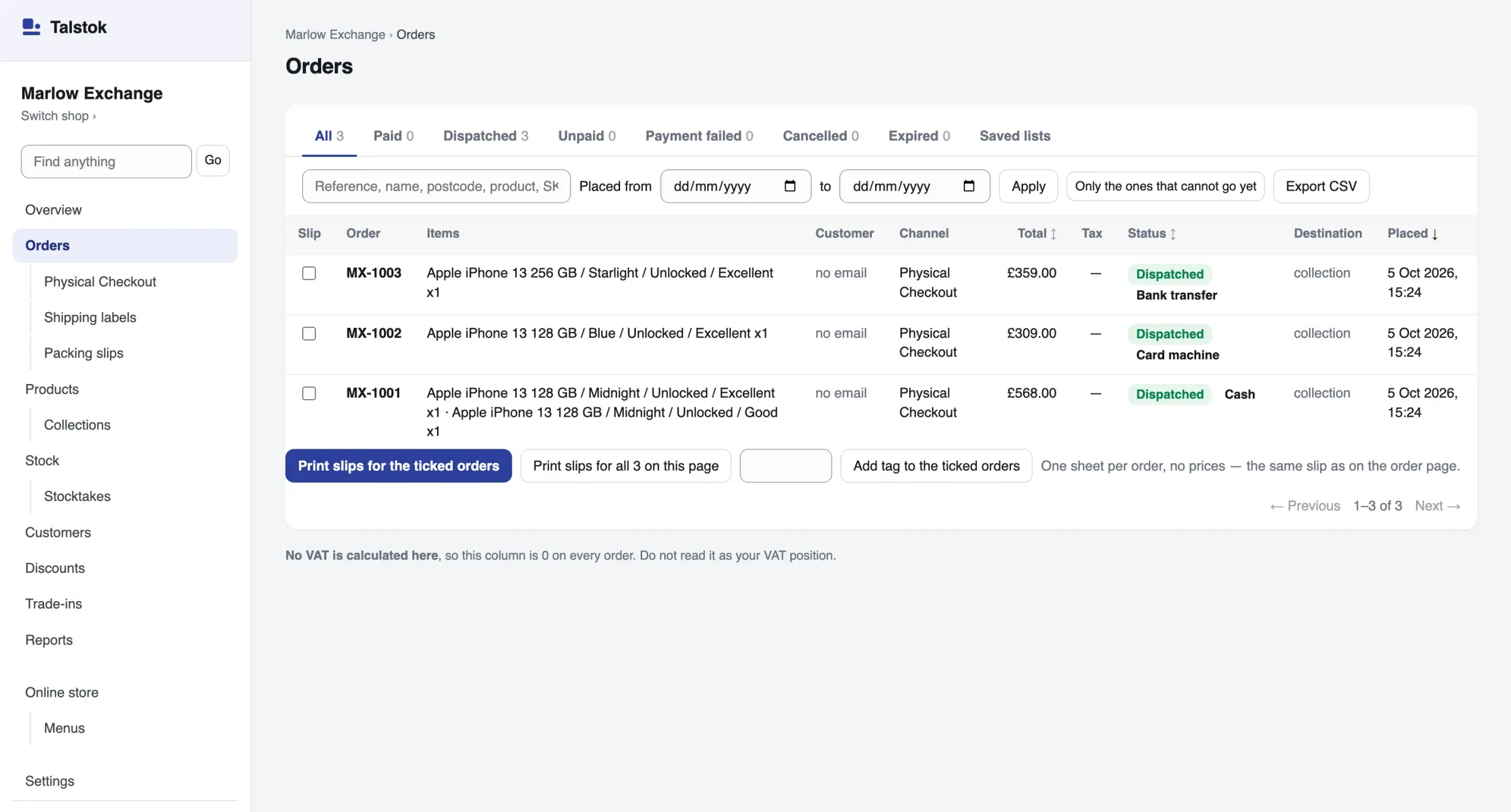
Every counter sale is kept as an order with how it was paid. The day’s takings show by payment method, so you can check the drawer against the till.
Any with a web browser. There is nothing to install.
Any scanner that types what it reads. The till finds the item by its stock code, or a single item by its serial number.
Keep the one you have. Take the payment on it and record it at the till.
So you know before you move your shop over.
EPOS stands for electronic point of sale. It records each sale at the counter, takes it off the stock count and adds it to the day’s takings.
Talstok does that in a web browser, and adds an online shop that sells from the same stock when you want one.
Yes. A shop that takes only cash needs no payment account, and the till works without one.
Yes. Take the payment on your card machine as you do now, and choose Card machine at the till so the sale shows how it was paid. Talstok does not connect to card readers.
No. A computer or tablet with a web browser is enough. To scan, use a barcode scanner that types what it reads into the box the cursor is in, as most USB and Bluetooth scanners do. The till finds an item by its stock code, or a single item by its serial number or IMEI. To scan the barcode a product came with, use that number as its stock code.
No. The till saves each sale as it happens, so it needs a connection. Working offline is not built yet.
From £20 a month for each shop that takes real money. A test shop is free.
Paying only for the parts you use is coming. Plans for each kind of shop, with add-ons on top, are being decided, and the pricing page will say what each one includes when they are.
A test shop is free. Nothing in it is real: no money moves, and it never emails a customer. You pay only once a shop takes real money.