An EPOS till system that runs in your browser
Sell at the counter from the same products and stock as your website. Scan the stock code, take the payment and email the receipt. The count changes as you sell.
How a sale goes through
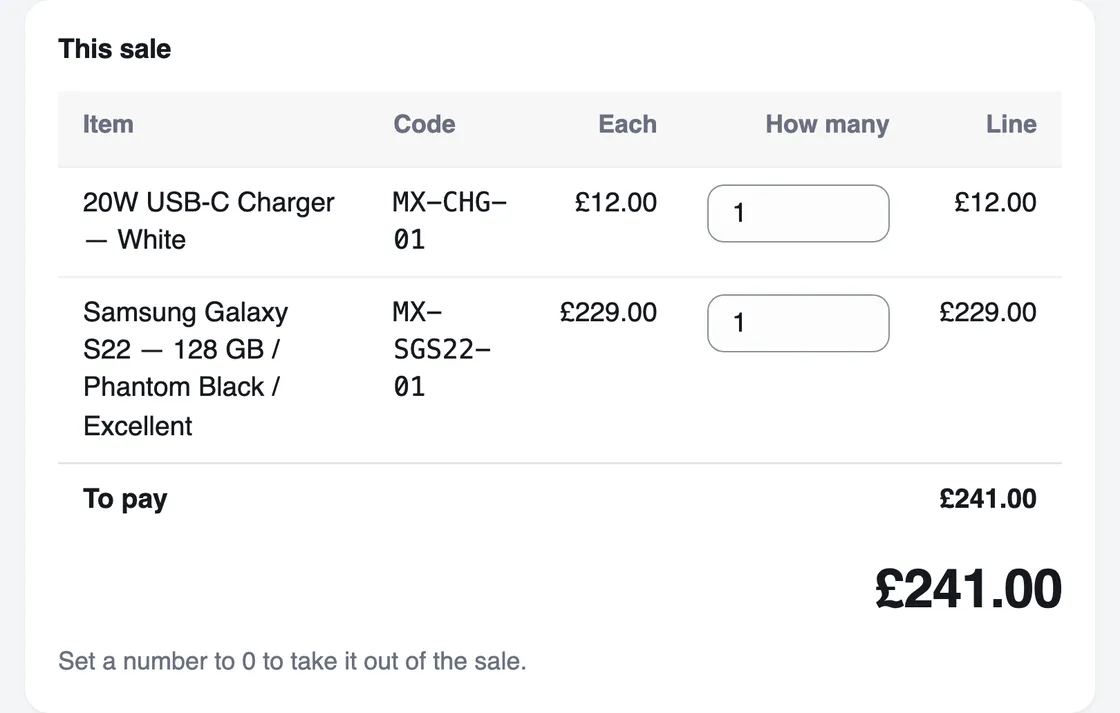
The whole sale is on one screen, and one press takes the money. Each press sends the sale to the server, which prices it again from your product list.
Scan or type
Scan the stock code on the label, or type part of a name or a stock code. A phone kept one by one is found by its serial number or IMEI.
Add it to the sale
The price comes from your product list, so nobody types a figure at the counter.
Take the payment
Cash, card machine, bank transfer, cheque or something else. Add a reference, such as a cheque number, if you want one.
Email the receipt
Type the customer’s email and tick the box. The sale comes off the count your website sells from.
What it works with
Keep the kit you have. The till runs in a web browser on the computer or tablet at your counter.
Your card machine
Take the card on your own machine, then choose Card machine so the sale records how it was paid.
A barcode scanner
Any scanner that types what it reads into the box the cursor is in. Most USB and Bluetooth scanners do. The till reads a scan as a stock code.
Cash, if that is all you take
A shop can take cash and nothing else, with no payment account at all.
Your staff
Owners, managers and packers can sell at the till. A viewer cannot open it, but can see every counter sale in Orders.
Refunds
An owner or a manager refunds a counter sale from its order. The refund is recorded against the sale it came from.
Your website
Counter sales and online orders come off one count, and both show in one list of orders.
The day’s takings, at closing
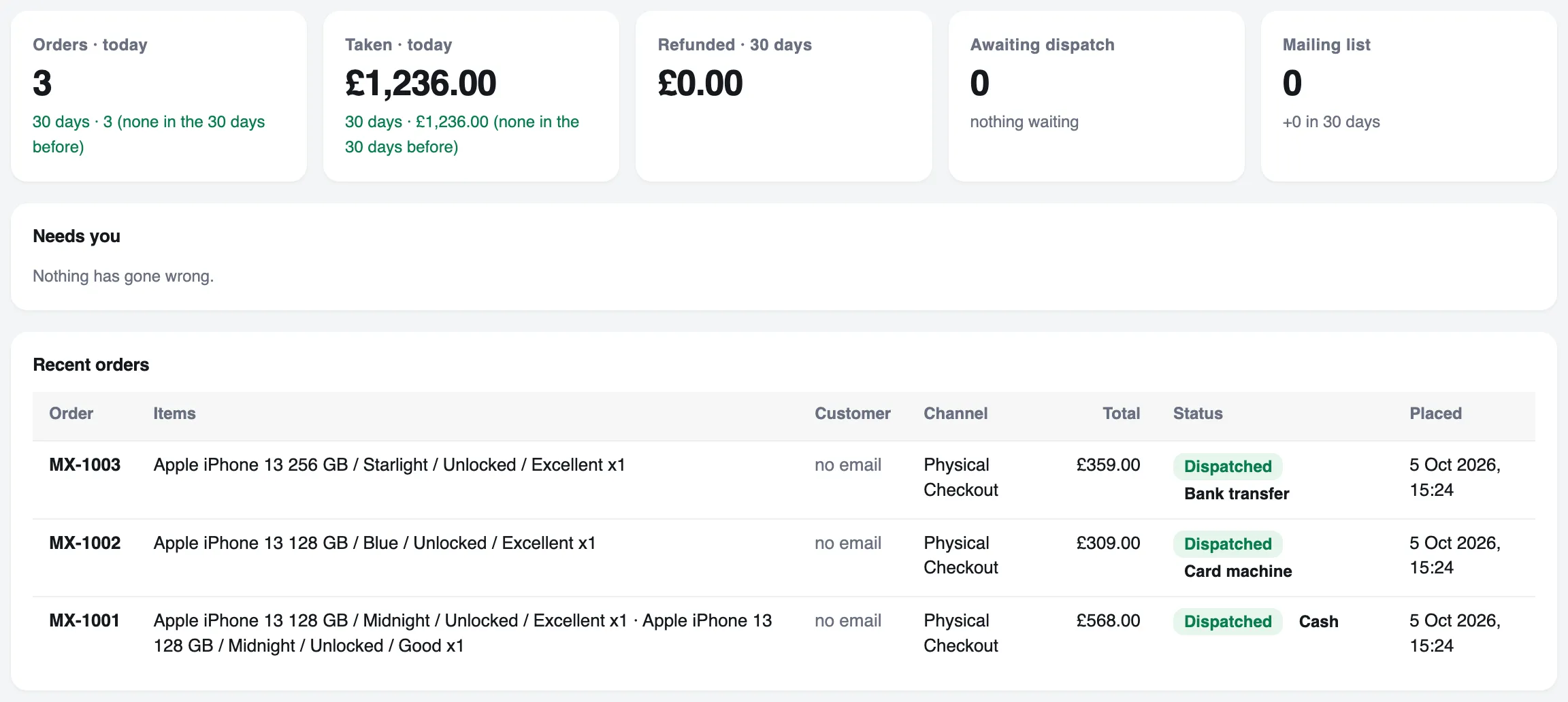
The Overview shows today’s orders and takings beside your online sales, and every counter sale says how it was paid.
- Today at the counter lists each sale and its payment method, to check against the cash drawer
- Every counter sale is kept as an order, and orders are never deleted
- Reports export as CSV files for your bookkeeper
What the till does not do yet
Named here, so you know before you move.
Card readers
The till does not connect to a card reader. Take the card on your own machine.
Printed receipts
Receipts go by email. Printing to a receipt printer is not built yet.
Working offline
The till needs an internet connection, because it saves each sale as it happens.
Several tills
Separate tills, each with its own takings, are not built yet.
Store credit and gift cards
Neither can be taken as payment yet.
Bundles and batch numbers
The till cannot sell a bundle, or a product that needs a batch number. Both sell on your website, and the batch is chosen when the order is sent. At the till, sell the items in a bundle one by one.
Questions about the till
What is an EPOS system?
EPOS stands for electronic point of sale. It is a till that records each sale on a computer, so the stock count, the takings and the order history change as you sell.
HMRC’s VAT Retail Schemes manual (VRS11100) says EPOS systems were developed primarily to aid stock control.
What is the difference between POS and EPOS?
POS, point of sale, is the place a sale is made and the system that records it. EPOS is the electronic kind. Most people now use the two words for the same thing: software that records each sale and keeps the stock count.
Can I keep my card machine?
Yes. Take the card payment on your card machine as you do now, and choose Card machine at the till so the sale records how it was paid. Talstok does not connect to card readers.
How much is a card machine?
Card machines come from the payment companies, not from Talstok. Square, for example, lists its Reader at £19 plus VAT and charges 1.75% on UK cards taken in person (Square’s UK pages, read 5 October 2026).
If you already have a card machine, keep it. The till records the card sales you take on it.
Does the till work without the internet?
No. The till runs in a web browser and saves each sale as it happens. Working offline is not built yet.
Which barcode scanners work?
Any scanner that types what it reads into the box the cursor is in, which most USB and Bluetooth scanners do. The till finds an item by its stock code (SKU), or by its serial number or IMEI if you keep it one by one. To scan the barcode a product came with, use that number as its stock code.
How much does an EPOS system cost?
Talstok costs from £20 a month for each shop that takes real money. Plans for each kind of shop, with add-ons on top, are coming, so you will pay only for the parts you use. What each plan includes is being decided, and the pricing page will say when it is. You can try the till in a test shop, which is free.
Read next
See it with your own products
A test shop is free. Nothing in it is real: no money moves, and it never emails a customer. You pay only once a shop takes real money.