Stock management software for small shops
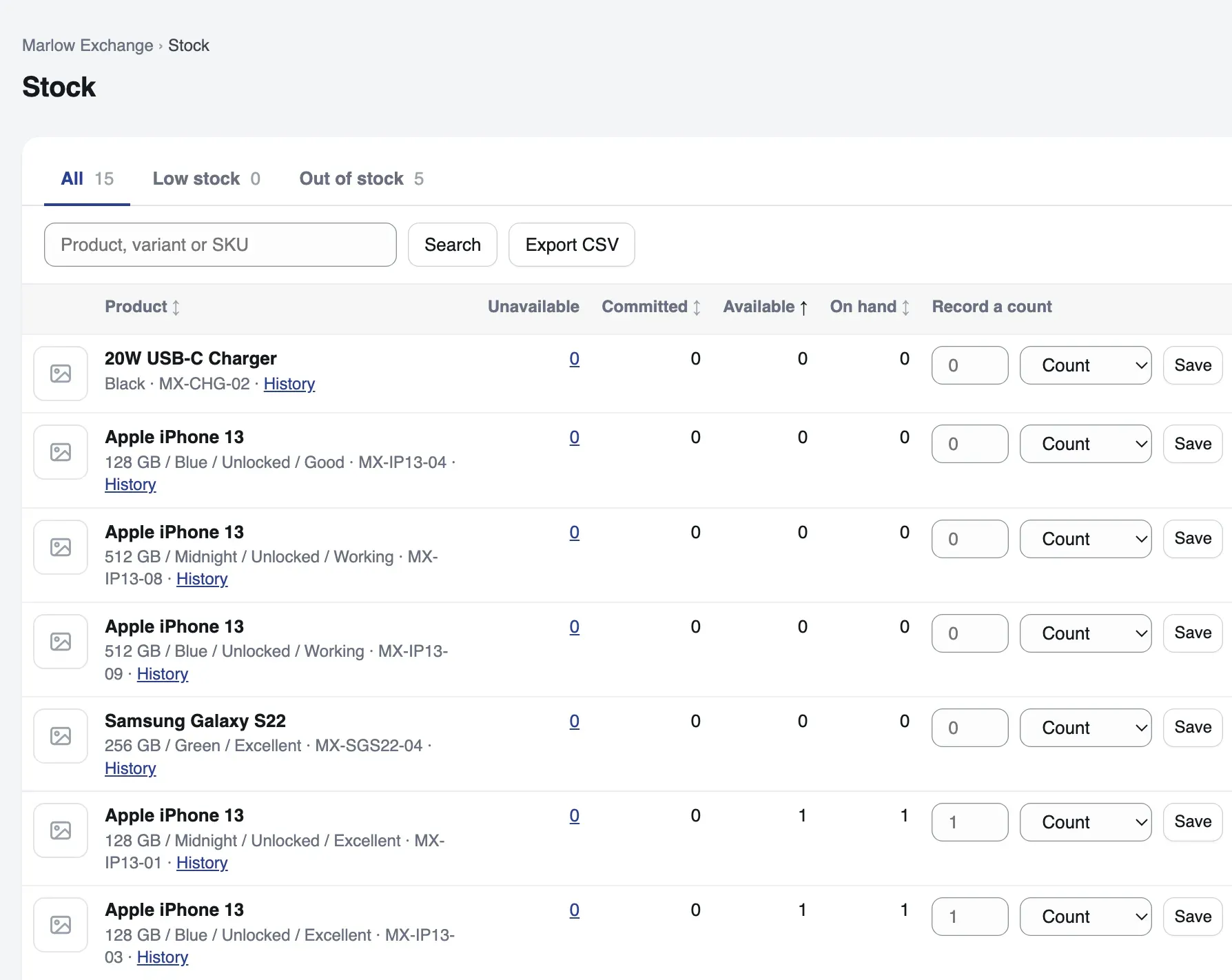
One count per item for the till and your website. Sales take from it, deliveries add to it, and a stocktake puts it right.
How a delivery comes in
What happens between ordering from a supplier and selling what arrives.
Raise a purchase order
Choose the supplier and what you are ordering from them.
Receive the delivery
Book it in against the order. The count goes up by what arrived.
Date the batch
If you switch batches on, give each one its own best-before date.
Sell it
Your website and the till sell from the new count. The till cannot sell a product that needs a batch number, so those sell online. Every change is kept in the item’s history.
What it keeps track of
Switch on the parts you need. A deli turns on batches; a phone shop keeps each handset by its IMEI.
Stock history
Every change to an item’s count is kept, so you can see when it moved and why.
Stocktakes
Count the shelf, enter the numbers, and the difference is saved with the stocktake.
Suppliers and purchase orders
Keep your suppliers, and receive each delivery against the order it came on.
Batches, dates and recalls
Give each batch its own best-before date, and keep a recall list of who bought from it.
Bundles
On your website, sell a bundle made from items you already stock. Its count comes from its parts. At the till, sell the items in it one by one.
Items one by one
Keep a phone or a watch by its serial number or IMEI, each with its own grade, price and photos.
Options and facts
Up to four options on a product, such as size and colour, and your own facts, such as material.
Prices kept as a history
Every price change is kept. A was-price shows a reduction, and a unit price, such as per 100 g, shows where it applies.
Import and export
Paste new products in from a CSV file, and download the whole shop as CSV and JSON.
See what is running low
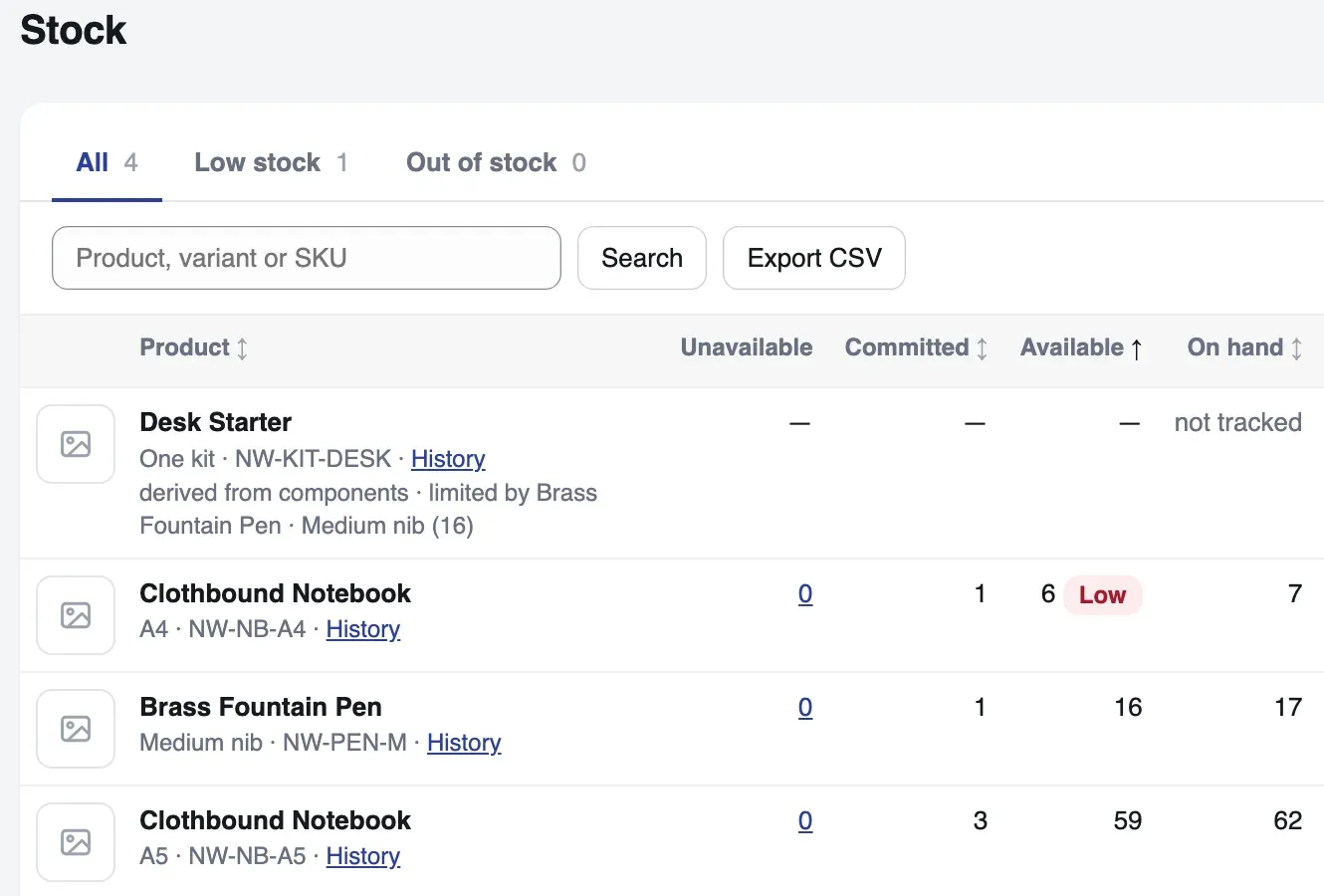
Set a reorder point for each item. When its count falls to that point, the item is marked Low and listed on the Low stock tab.
- A bundle counts from its parts, so it shows how many you can make
- Record a count from the list, and the change goes in the item’s history
- Export the stock list as a CSV file
Not built yet
Said plainly, so you can plan round it.
Several locations
Stock in two branches or a warehouse, and transfers between them, are not built. Each shop keeps one count.
Updating by import
A CSV import adds new products. It does not change ones you already have.
Low-stock emails
Low stock shows on the Stock screen. It is not emailed to you yet.
- Coming
Automatic reorder emails
When an item runs low, an order goes to its supplier by email, as an option for the kinds of shop that want it. Today you send each purchase order to the supplier yourself.
- Coming
Every channel, one stock
Your count kept in step with the other places you sell. See what is planned.
Questions about stock control
What is stock control?
Stock control is knowing how many of each item you have, when the count changed and why, and when to order more. Software does it by taking each sale off the count and adding each delivery to it.
What is a stocktake?
A stocktake is counting what is really on the shelf and correcting the records to match. In Talstok you count, enter the numbers, and the difference is saved with the stocktake.
What is a reorder point?
The count at which you want to order more. Set one for each item, and the item is marked Low when its count falls to it.
Can I bring my products in from a spreadsheet?
Yes. Save your spreadsheet as a CSV file and paste its text into the import screen. Head the columns handle, title, variant, sku (the stock code), price, stock, description, category and barcode. Handle, title, variant and price are required. The import adds new products as drafts; it does not update ones you already have.
Can two branches share one stock count?
Not yet. Each shop in Talstok has its own stock, and one business can run several shops, but several locations under one shop, and transfers between them, are not built.
Does it handle best-before dates?
Yes, once you switch batches on. Each batch has its own best-before date, and the Expiry dates screen lists your batches, earliest date first. A batch past its date is flagged when an order is packed, and nothing stops the sale. Switch recalls on as well, and a recall list shows who bought from a batch.
Read next
See it with your own products
A test shop is free. Nothing in it is real: no money moves, and it never emails a customer. You pay only once a shop takes real money.